How to create and configure databases in cPanel?
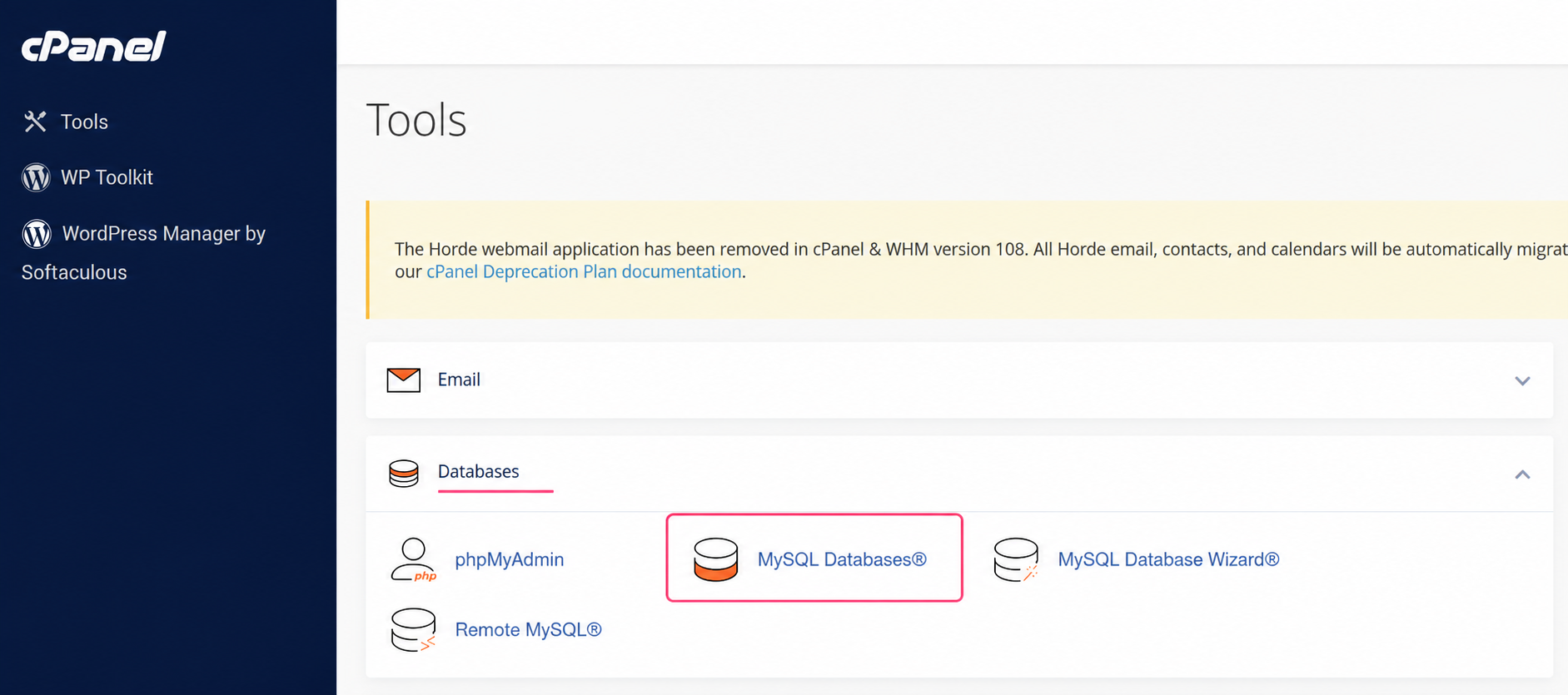
- To create databases, access the MySQL Databases tool in the Domains box.
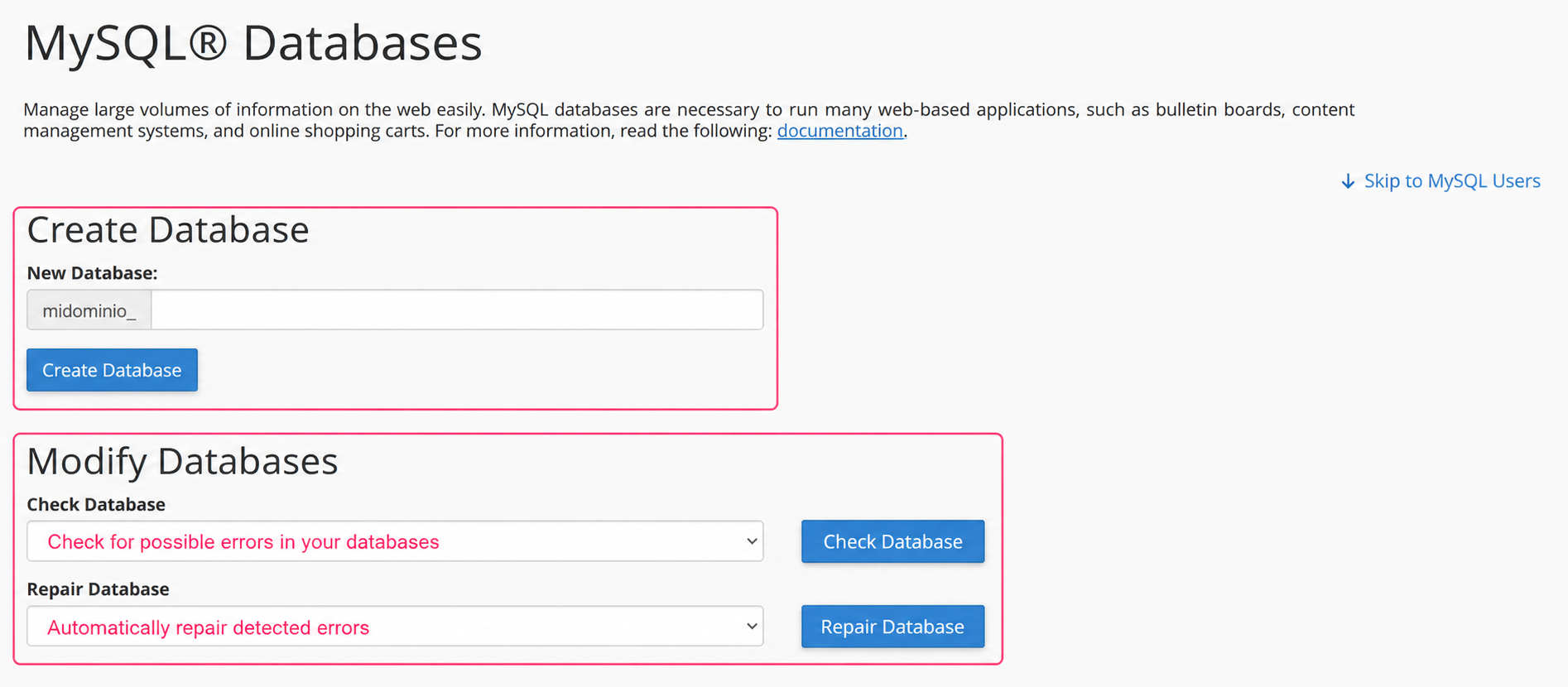
- On the MySQL databases management screen you will see several areas:
- Create a Database: where you can create your database. Databases will use the hosting account username as a prefix.
- Modify Databases: where you can review and repair possible errors in your databases.
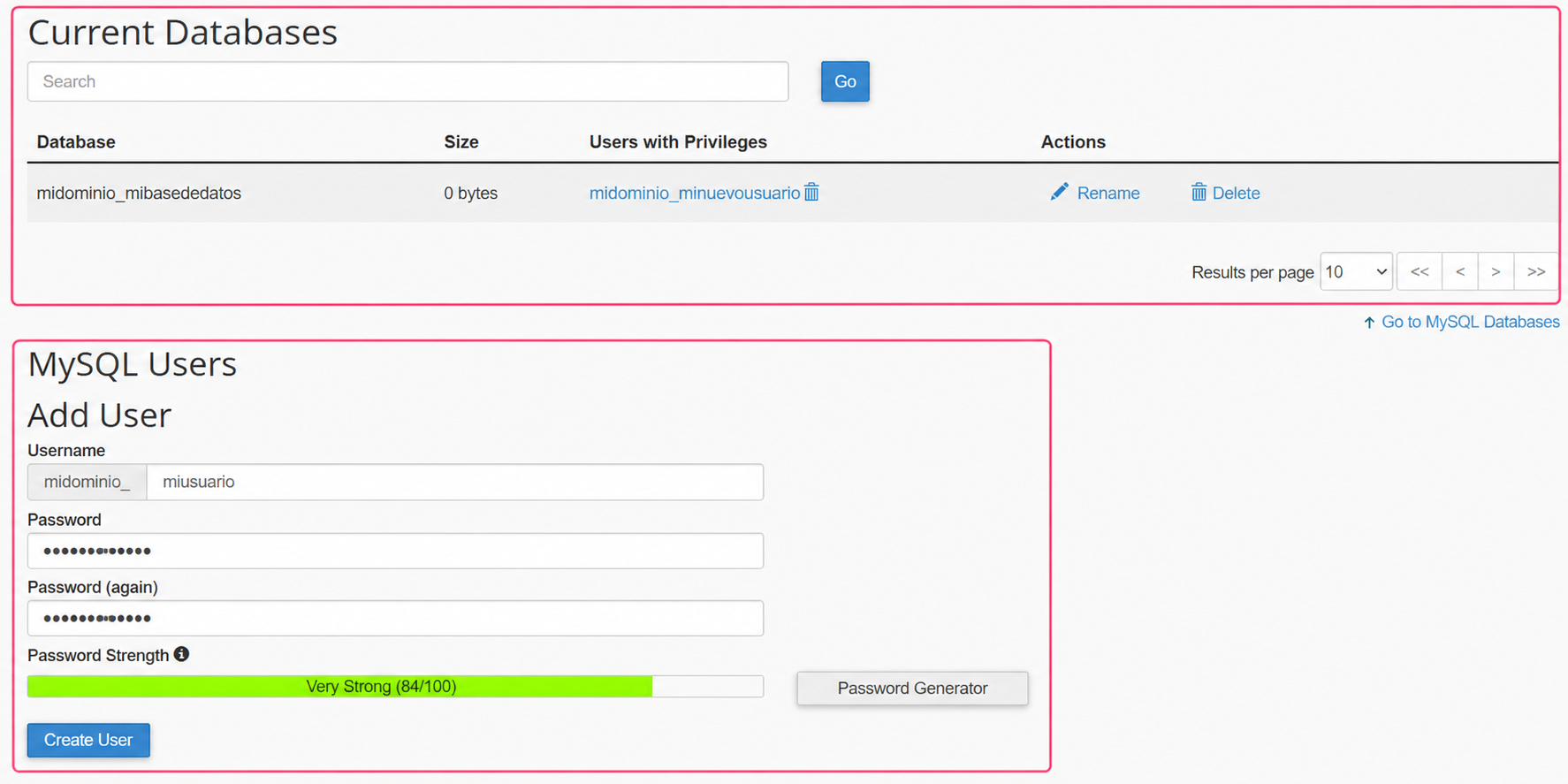
- Current Databases: where you can view and manage the databases you created. You can see the space they occupy, modify user privileges, rename them or delete them.
- MySQL Users: where you can create the users that will connect to the databases.
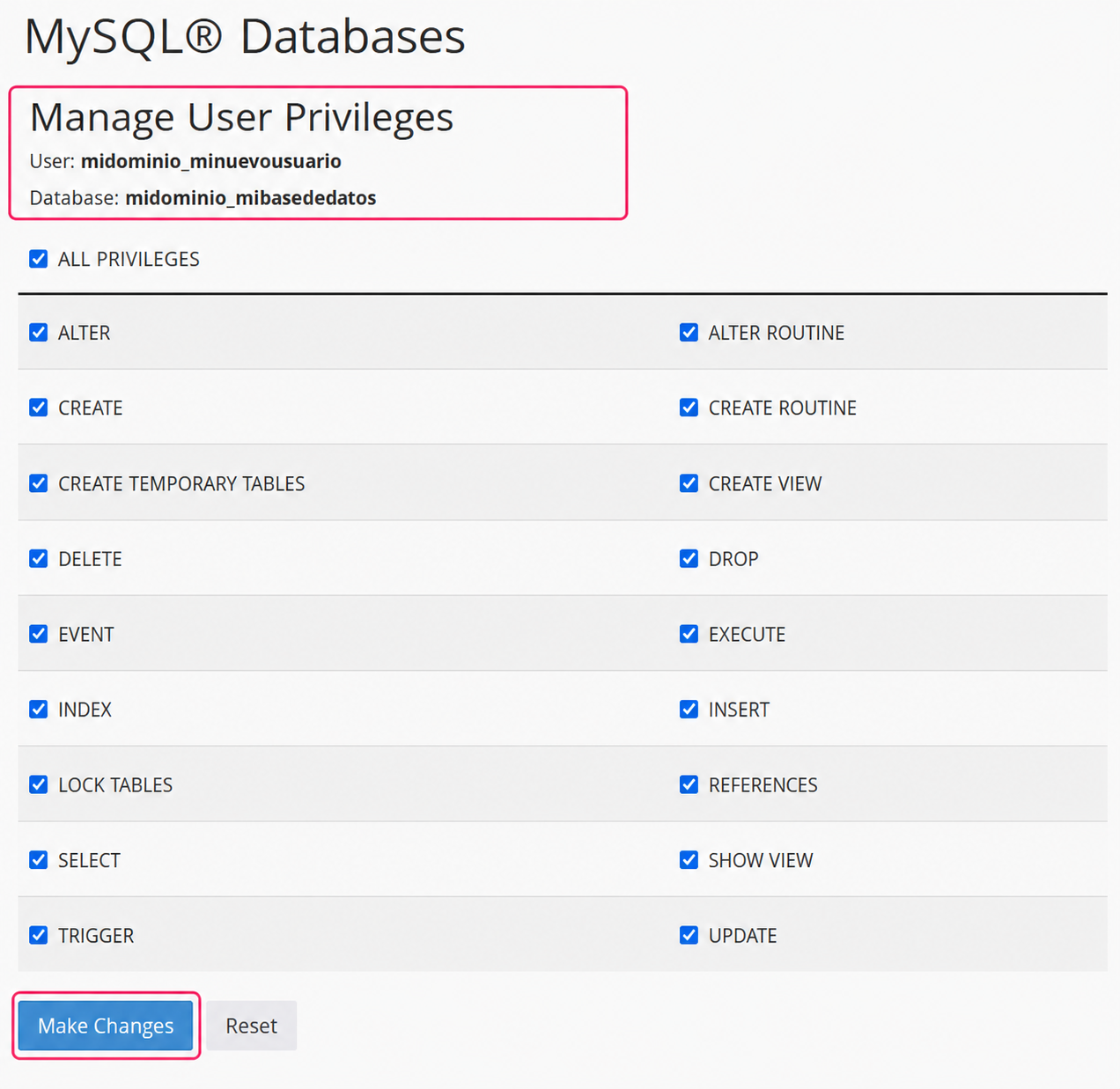
Clicking on the user privileges for a database will show this screen, where you can modify its privileges.
Finally you will see:
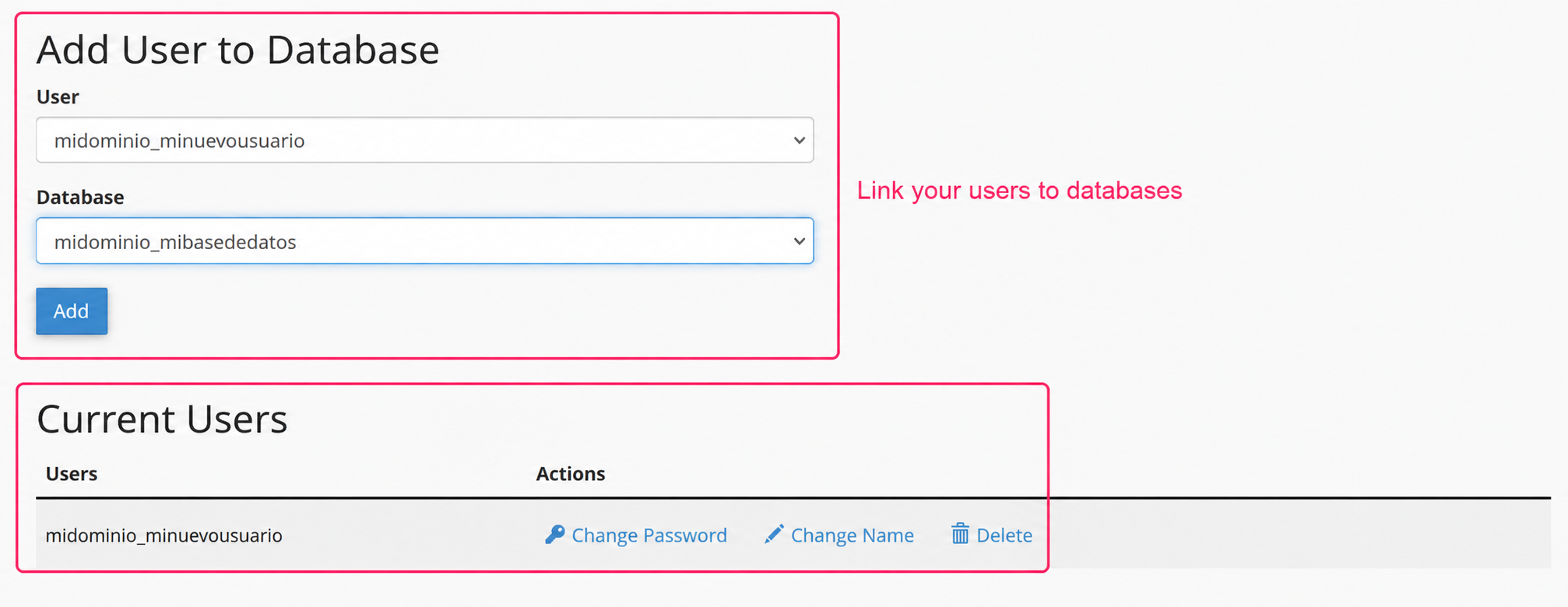
- Add user to database: where you can link users with databases.
- Current Users: where you can view the created users and edit their details or delete them.