How to change the PHP version in cPanel?
Below we will show you how to change the PHP version that your hosting plan’s website will use.
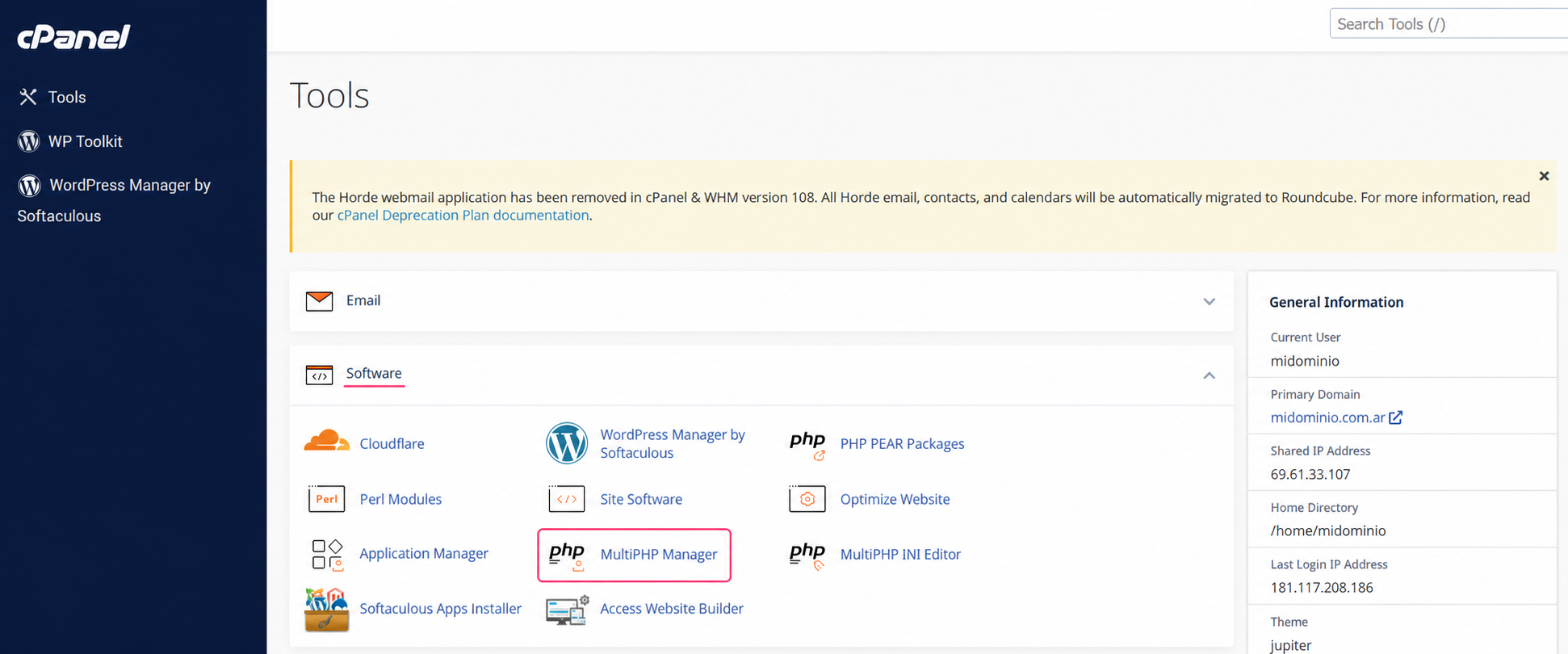
To change the PHP version you must access the MultiPHP Manager tool, in the Software box of the control panel.
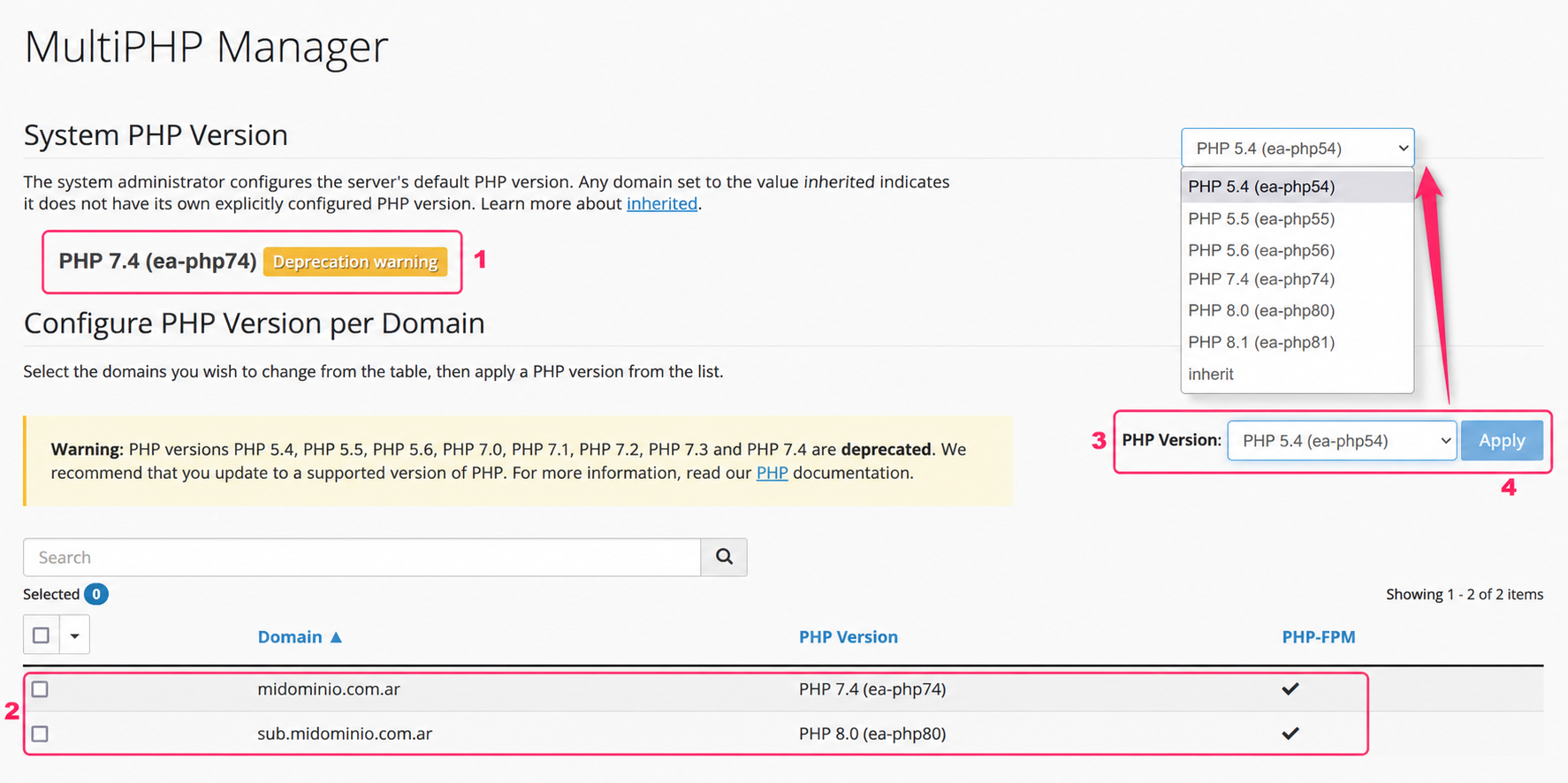
On the MultiPHP Manager screen you will see:
- The PHP version used by the server. If you don’t choose a specific PHP version for your website, it will use this PHP version.
- Next, you’ll see the list of domains and subdomains in your account along with the PHP version they are currently using. To modify your website’s PHP version you must check the box to the left.
- In the PHP Version selector you can choose the new PHP version you want to use for the selected account.
- Click the Apply button to save the change. This process may take a few minutes.