How to install an SSL Certificate in cPanel?
SSL certificates are very important for online shopping portals or any site that needs to encrypt sensitive information transferred between the user and the website.
They are also important to avoid security warnings that browsers may display.
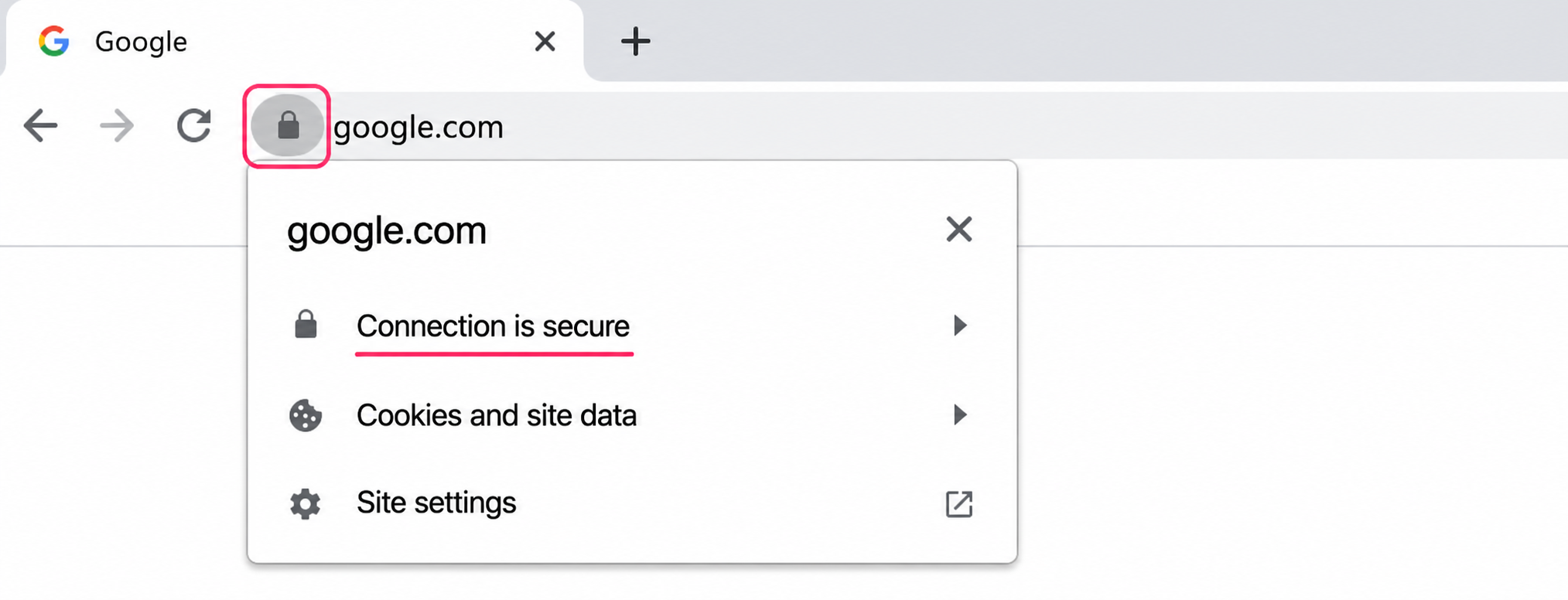
Website covered by its SSL certificate
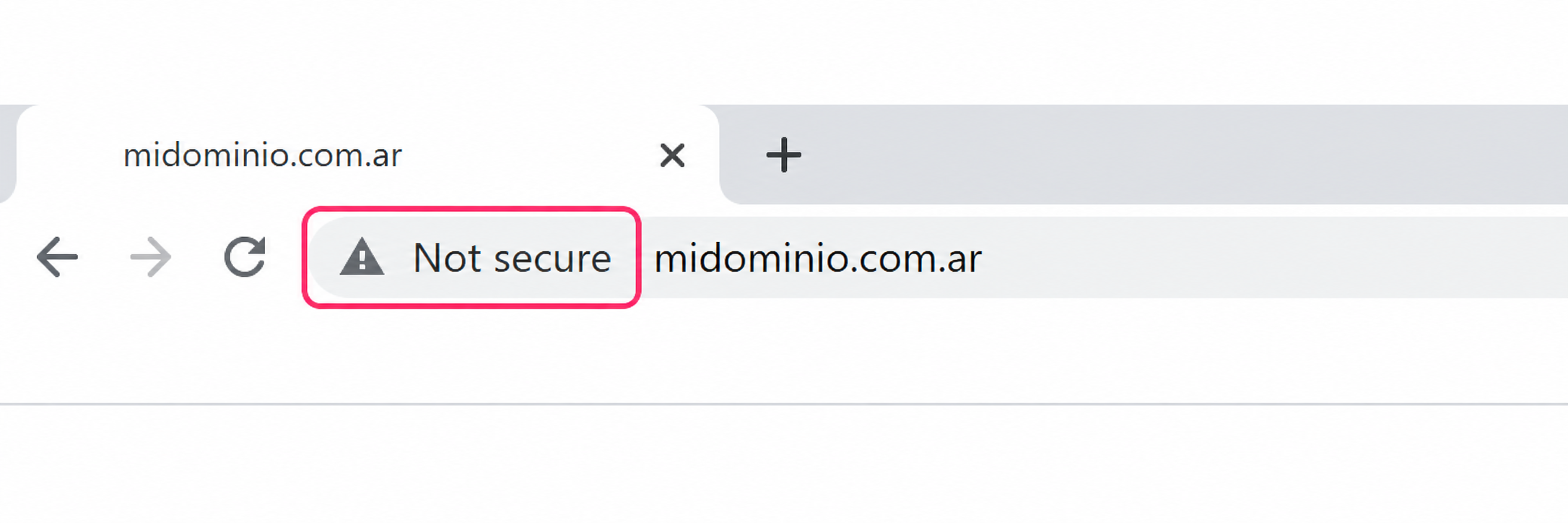
Website without SSL certificate
To install the SSL certificate in cPanel you need to follow these steps:
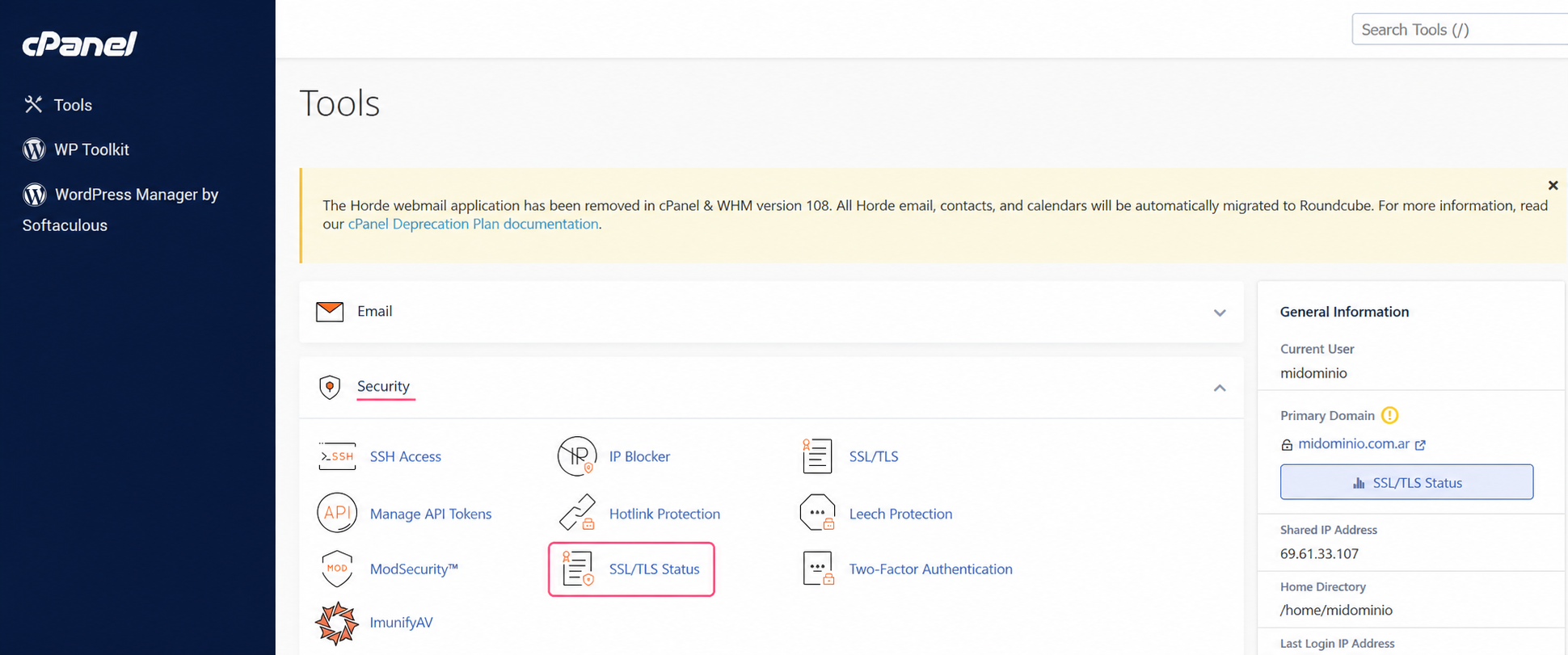
- In the control panel, go to SSL/TLS Status, in the Security box.
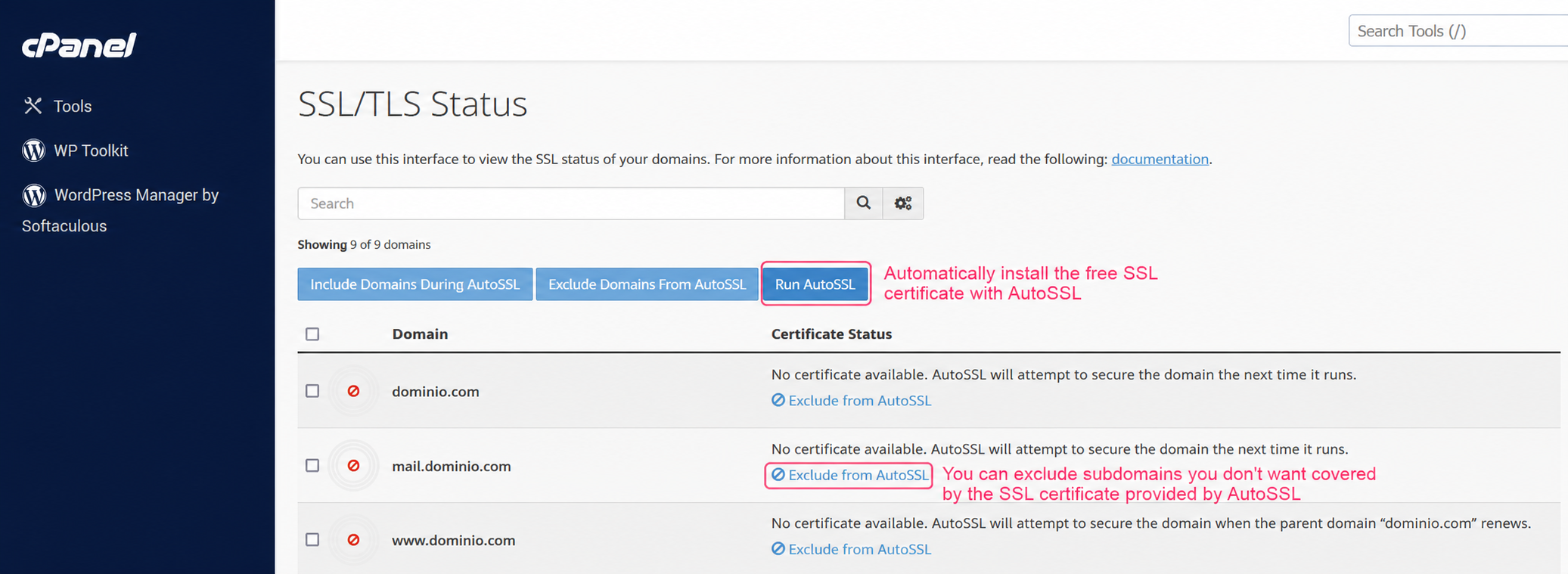
- On the SSL Status screen you will see your domains, subdomains and the status of their SSL coverage.
With the Run AutoSSL button you can install the certificate on all the domains and subdomains of your account. The process is automatic.
If you want to exclude any specific domain or subdomain from SSL coverage, you can do so from the Exclude from AutoSSL option for each one.